Showing posts with label Snowflake. Show all posts

Tuesday, 20 December 2022

PIMORONI Plasma Stick 2040 W Christmas Lights

 So having played around with the Plasma Stick 2040 and run a web server on it, it was time to use it for Christmas lights

Initially the idea was to use the PICO W as an Access Point and control it via a web interface. This would make it independent of any local access point. Unfortunately there were some issues which I was unable to resolve before I needed to use the lights in the field. So to be able to change the lights a Rotary Encoder was plugged into the QWIIC socket via a Breakout Garden to QWIIC converter and a QWIIC cable.

For Christmas tree lights of course, the existing web server could have been used, time waits for no developer so it was used "as is".

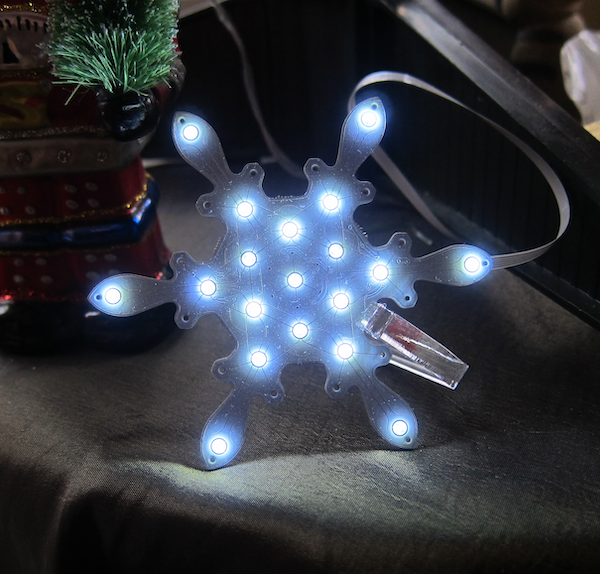
In addition there is a Pimoroni Snowflake Solo on the tree.


Sunday, 2 January 2022

PIMORONI Snowflake Solo

 Pimoroni released their Snowflake product based on a design by Lucky Resistor a number of years ago.


I thought it looked great but was not sure if five of them would be a bit overwhelming.

This year they introduced the Snowflake Solo, a single Snowflake board and a controller board all on a single beautifully crafted PCB.

The Snowflake Solo comes on a single etched PCB and includes a 200mm flat cable to run between the control board and the Snowflake.
Half etched supports hold the control board and the snowflake onto the PCB. There are instructions here on how to separate the components from the carrier board. The important thing is to bend the carrier and not the snowflake/controller board.

Once the two boards  are separated they need to be connected. The connectors on both boards are identical (note that there are two connectors on the snowflake - an In and an Out).
On the control board and the In connector on the snowflake, flip up the connector to open it, insert the cable with the blue side upwards, and close the connector.

The control board has a micro-usb socket for power, I used one of my Raspberry Pi Zero mains adaptors, any micro-USB charger should be fine.

The snowflake is programmed with a number of different patterns, these can be selected by clicking the centre button on the control board. Click it once to select change mode, then click it a number of times to select the rquired mode.

The acrylic stand is quite a tight fit.